Pay Quickly and Easily with your Credit Card!
Here’s How:
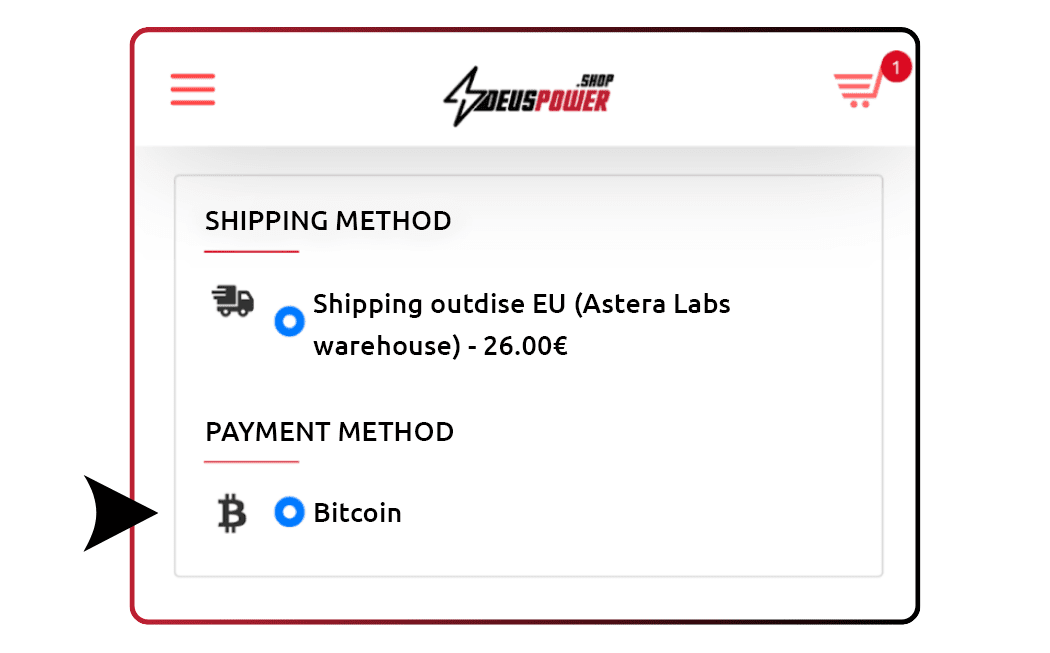
1. Select Bitcoin at Checkout
When placing an order in our store, choose Bitcoin as a payment method.

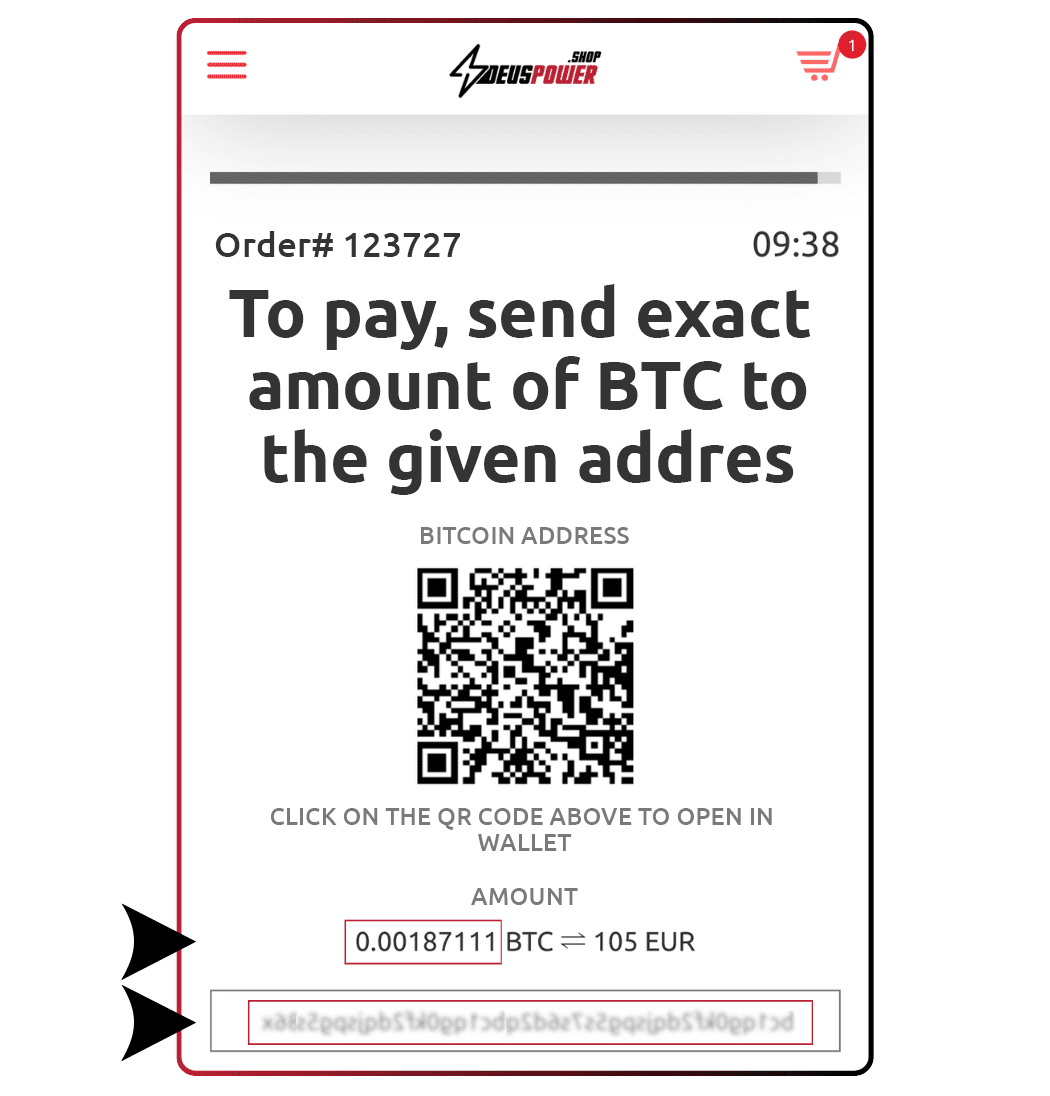
2. Review Your Payment Info
You will see:
- Exact BTC amount
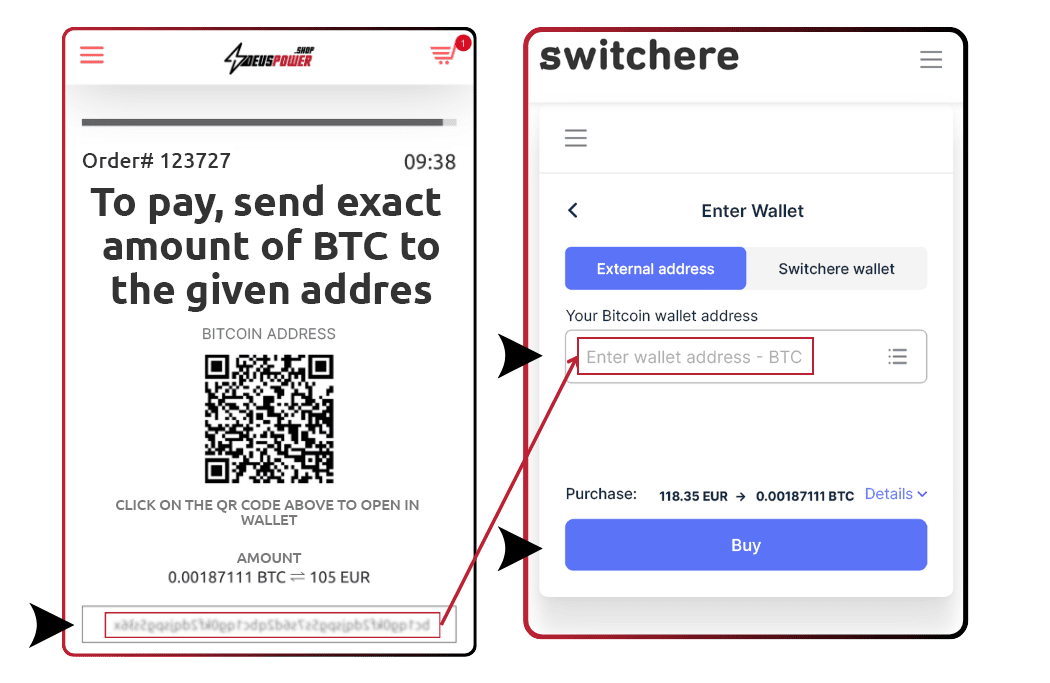
- Wallet address
- QR code to scan
⚠️ The information you need is the AMOUNT and the WALLET ADDRESS.

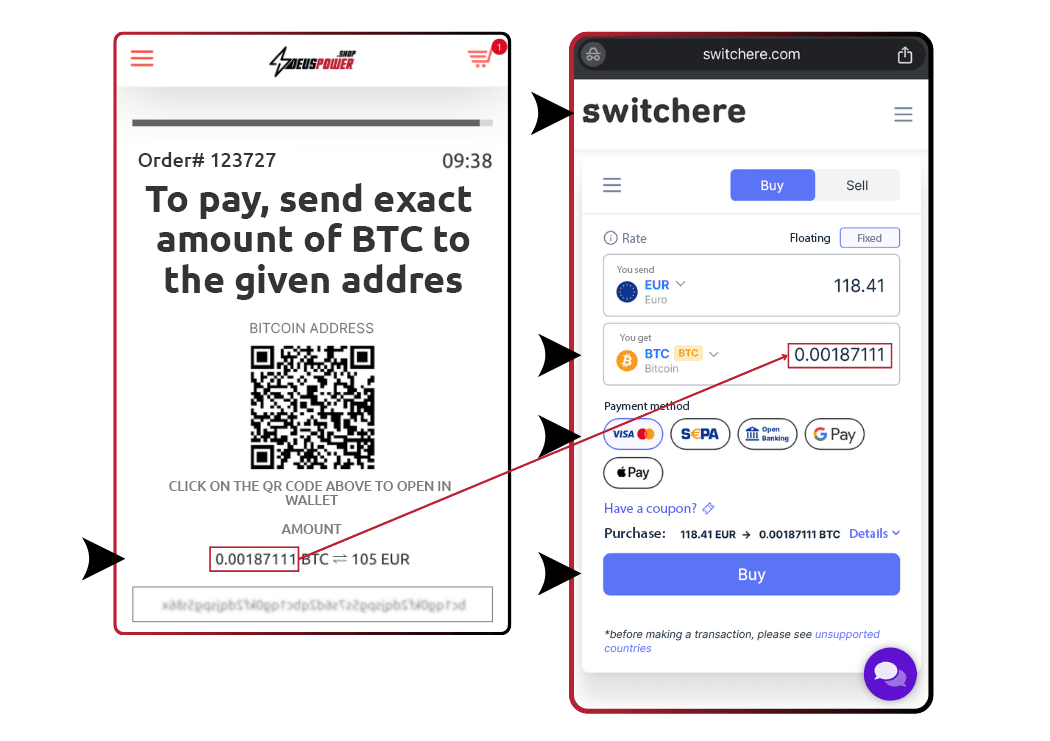
3. Go to switchere.com
In a new tab:
- Go to switchere.com
- Paste BTC amount from your order
- Select your payment method and click Buy
💡 Tip: Make sure BTC is selected before proceeding.

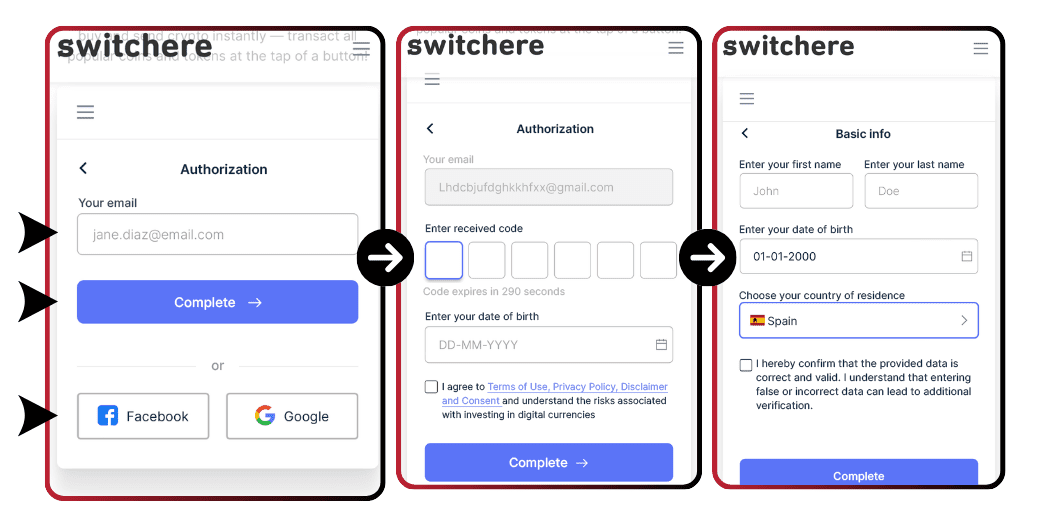
4. Log In or Sign Up
Sign in or register using:
- Your email
- Facebook or Google
💡 Tip: Only email is needed to process payment.

5. Paste the Wallet Address
Copy the address from your order confirmation and paste it in Switchere’s required field.
6. Complete the Payment
Fill in your card details and finalize the transaction.
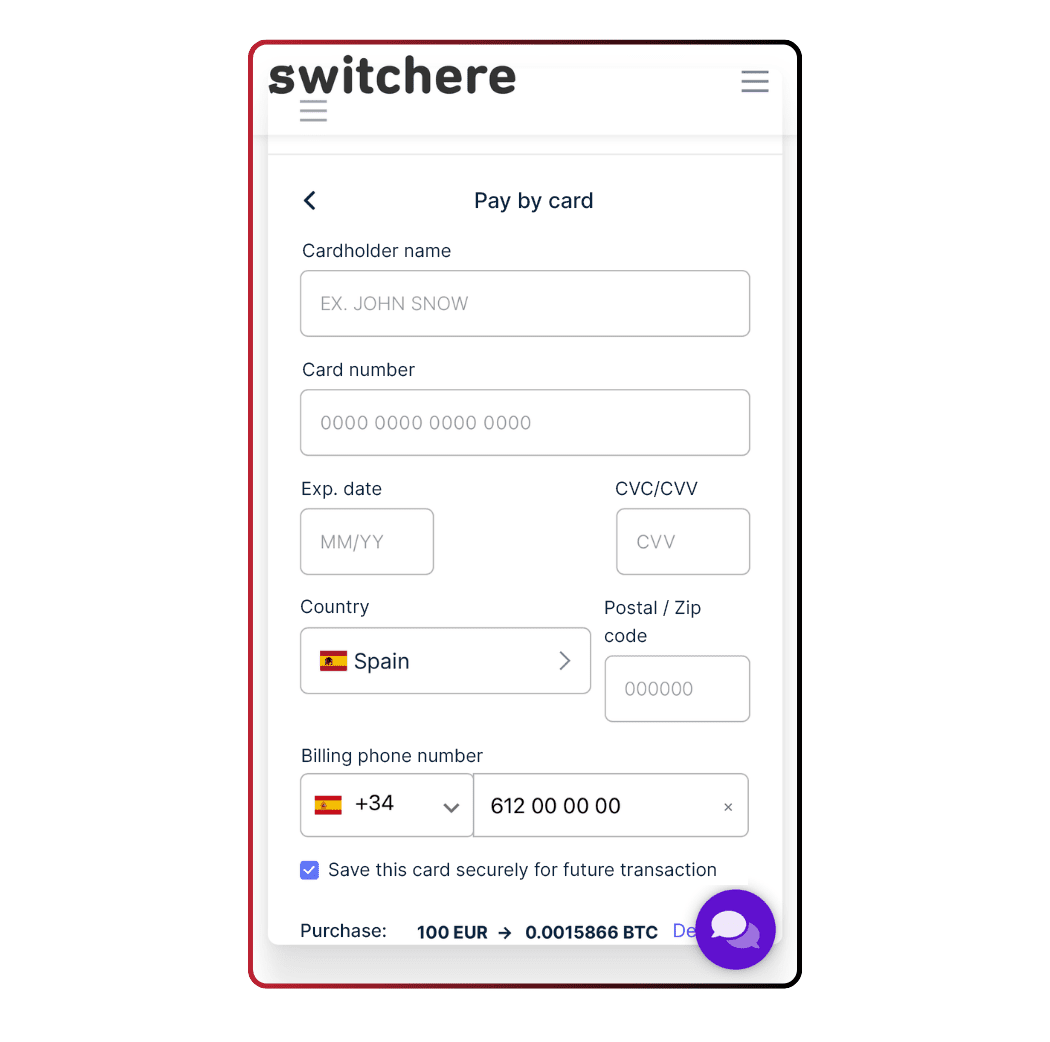
💡 Tip: Apple Pay and Google Pay also work!

Still need help? Contact us at info@deuspower.info and we’ll assist you immediately.